
Configuration
Enable Domain Admin Access
Authorize a mailbox to manage resources belonging to its own domain.
01 Open the mailbox account
In Zimbra Administration, open the mailbox that should receive Domain Admin access and select General Information.
02 Set the Description value
Open General Information / Notes and set Description to:
POSTMASTER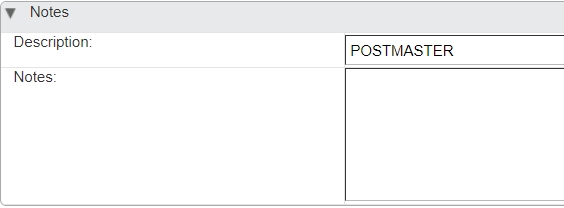
Set Description to POSTMASTER in the account's General Information / Notes section. The value is case-insensitive, but it must be exactly
POSTMASTER. Do not add other words to the Description.03 Open the Domain Admin Portal
Using the actual Zimphony hostname, open:
https://mail.example.com/admin04 Sign in
Log in using the mailbox whose Description was set to
POSTMASTER.
The mailbox domain sets the boundary
The authenticated Postmaster mailbox domain determines which resources the administrator can manage. For example, [email protected] can manage resources in example.com, but not in otherdomain.com—even when both domains are on the same Zimbra server or associated with the same organization.
The same boundary applies to Distribution Lists: the administrator can manage lists in example.com, but not lists in another domain.